Start a busy morning
Ask to see today's events, unfinished tasks and the habits you still need to check in on.
 DayPilot
01 / AI planning
Put what is on your mind into words. Let AI help turn it into a plan you can work with.
TRY SAYING
“Show today's events, unfinished tasks, and habits I still need to check in on.”
Example instruction · review the items AI creates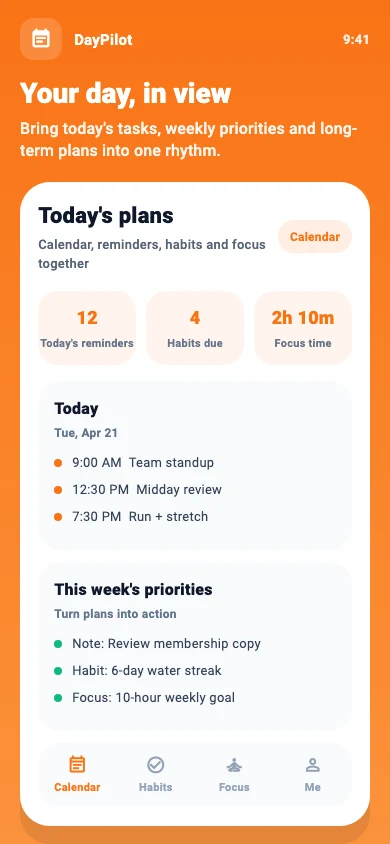
Describe an errand, a deadline or the work you want to fit into your day. You do not need to start with a perfectly organized list.
Ask DayPilot to plan or adjust an event when your day changes, and to tell you if it conflicts with an existing one.
Review the generated items, dates and times. Edit the details so the plan reflects what you actually meant.
IN EVERYDAY LIFE
Ask to see today's events, unfinished tasks and the habits you still need to check in on.
Describe which event needs moving, then review the new time before relying on the reminder.
Ask to save an idea as a note instead of deciding where to put it later.
International service is preparing for launch. Store availability varies by country and device. Membership subscriptions are available through App Store in-app purchases.